
How to build pib (printable intelligent bot)
26-DoF humanoid robot · Advanced
Build pib, isento's 3D-printable humanoid upper body with tendon hands, Tinkerforge servo control, a Raspberry Pi 5 and ROS 2 software.
Many actuators, custom wiring and real tuning work.
Our estimate, part-time
€3,145 incl. VAT for the pib#5 Makerbox of non-printed parts; filament not included
GPL-3.0
What is pib (printable intelligent bot)?
pib, short for printable intelligent bot, is a free humanoid from isento GmbH in Germany, made for learning AI and robotics hands-on. It's an upper body: a head on a moving neck, two arms and tendon-driven hands, mounted to a bench or rig.
All the plastic parts are in the pib-stls library, grouped into head, body, arm and hand. The pib#5 set replaced pib#4 in September 2026. Servos are driven by Tinkerforge Servo Bricklets from a Raspberry Pi 5 running a ROS 2 backend, with a web app called Cerebra for control.
If you'd rather not source parts, isento sells the non-printed parts as the pib#5 Makerbox.
pib (printable intelligent bot) specifications
- Form
- Humanoid upper body
- DoF
- 26 (arms, hands, head)
- Compute
- Raspberry Pi 5 (8 GB)
- Servo control
- Tinkerforge Servo Bricklet 2.0
- Software
- ROS 2 backend, Cerebra web UI
Figures as published by the project. See Sources below.
Bill of materials
| Part | Qty | Notes |
|---|---|---|
| TowerPro MG996R, DS1150SSG and DS5180 servos | — | Per the Makerbox |
| Raspberry Pi 5 with touchscreen and camera | — | |
| Tinkerforge Servo Bricklets and RGB LED | — | |
| Screws, bearings and tendon line | — | |
| ≈11–12 kg PETG | — | Printed parts |
Where's the full bill of materials?
The full BOM, with exact quantities and vendors, lives in the project's own files. Prices change often, so treat €3,145 as a ballpark from the project. Start at the project repository.
Tools you'll need
- FDM printer (PETG)
- Hex drivers
- Soldering iron
Step-by-step build overview
Electronics & wiring overview
Tinkerforge bricklets on the Pi drive the servos and handle feedback; the servos need their own power supply.
Software
pib-backend (ROS 2) and the Cerebra web app. The backend repo is AGPL-3.0.
Tips from the bench
- ☕ It's a lot of filament; budget printer time before you start.
pib (printable intelligent bot) FAQ
Does pib walk?
No, it's an upper body meant for bench mounting.
What license?
The STL repo's LICENSE file is GPL-3.0 (the FAQ says AGPL-3.0); the backend is AGPL-3.0.
Sources
Written by Bots n' Beans from the project's own documentation. Check the sources for the latest revision before you buy parts.
Related builds
Robot deals
All deals → Get deal
Deal · Everblog
10% off
 Shop
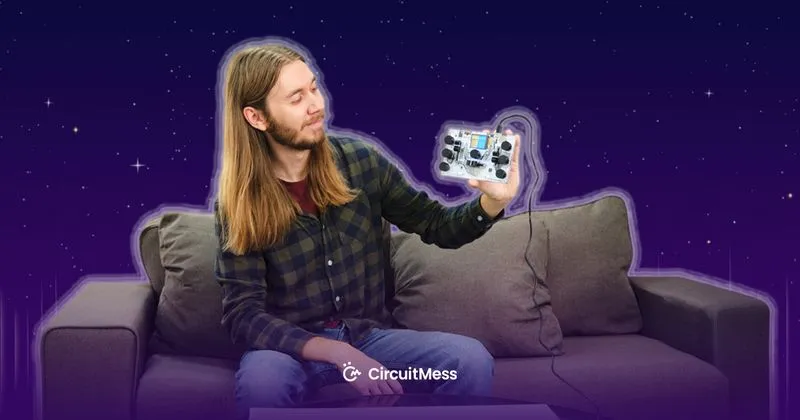
ShopShop · CircuitMess
DIY robot kits
Robot and gadget kits you build yourself.
 Shop
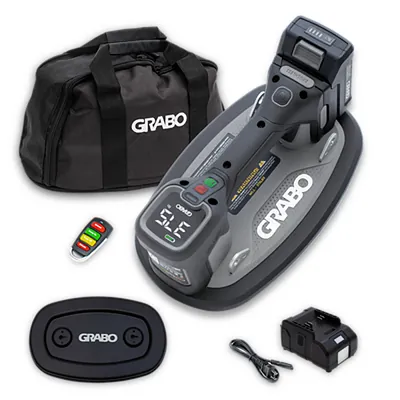
ShopShop · GRABO
Cordless vacuum lifter
GRABO Pro Brushless: the original cordless vacuum lifter for pavers, stone, glass and panels.
Like what we do? Buying through these links supports Bots n' Beans. We earn a commission at no extra cost to you. Thank you!