
How to build ZeroBug
18-DoF six-legged walker · Advanced
ZeroBug is a GPL-3.0 DIY hexapod with 18 micro servos, an STM32F103 for gaits and IK, and a Raspberry Pi Zero front end that takes mouse, touch or gamepad input.
Many actuators, custom wiring and real tuning work.
Our estimate, part-time
No cost is published
GPL-3.0
What is ZeroBug?
ZeroBug is CoretechR's small printed hexapod. It splits the work between two chips: an STM32F103 runs locomotion and inverse kinematics for 18 micro servos, while a Raspberry Pi Zero handles input from a mouse, keyboard, multitouch screen or Bluetooth gamepad.
The custom board also carries an MPU-6050 IMU and a PCA9685 PWM driver.
STL and STEP CAD, EAGLE PCB files, a production BOM and firmware are all in the repo.
ZeroBug specifications
- DoF
- 18
- MCU
- STM32F103CBT6
- Host
- Raspberry Pi Zero
- IMU
- MPU-6050
- PWM
- PCA9685
Figures as published by the project. See Sources below.
Bill of materials
| Part | Qty | Notes |
|---|---|---|
| Micro servo | 18 | |
| Raspberry Pi Zero | 1 | |
| Custom PCB (STM32F103, MPU-6050, PCA9685, USB-C) | 1 | |
| 1×03 servo headers | 20 | |
| Printed body and legs | — |
Where's the full bill of materials?
The full BOM, with exact quantities and vendors, lives in the project's own files. Prices change often, so treat Not published as a ballpark. Start at the project repository.
Tools you'll need
- FDM printer
- Reflow or fine-pitch soldering
- ST-Link programmer
Step-by-step build overview
Electronics & wiring overview
The servos plug into headers driven by the on-board PCA9685. The Pi Zero talks to the STM32 on the same board.
Software
The project ships its own firmware and control code. See the repository for setup.
STM32 locomotion and IK firmware plus the Pi Zero front end (GPL-3.0).
Tips from the bench
- ☕ The QFN-24 MPU-6050 is hard to hand-solder, so consider PCBA.
ZeroBug FAQ
Why two processors?
The STM32 keeps gait timing deterministic while the Pi handles input and UI.
Sources
Written by Bots n' Beans from the project's own documentation. Check the sources for the latest revision before you buy parts.
Related builds
Robot deals
All deals → Get deal
Deal · Everblog
10% off
 Shop
ShopShop · CircuitMess
DIY robot kits
Robot and gadget kits you build yourself.
 Shop
ShopShop · GRABO
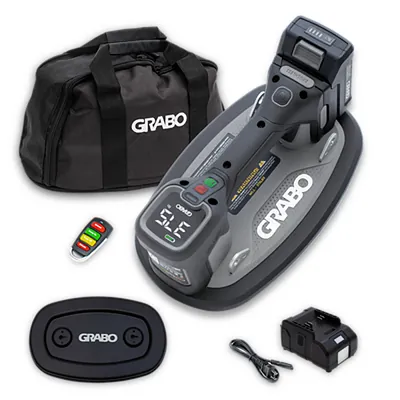
Cordless vacuum lifter
GRABO Pro Brushless: the original cordless vacuum lifter for pavers, stone, glass and panels.
Like what we do? Buying through these links supports Bots n' Beans. We earn a commission at no extra cost to you. Thank you!