
How to build ElectronBot
6-DoF desk companion robot · Intermediate
Build ElectronBot: a 6-DoF desktop robot with a round USB display face, STM32 boards, feedback-modded servos, a camera and a Unity companion app.
Some soldering, calibration and Linux comfort needed.
Our estimate, part-time
Price the BOM yourself
GPL-3.0
What is ElectronBot?
ElectronBot is a palm-sized desktop robot by Peng Zhihui (稚晖君), styled after EVE from WALL-E. Its round face is a USB display that shows images streamed from a PC, so it can emote, play video or mirror an app.
It has six degrees of freedom: roll and pitch on each arm, plus neck and waist. The tiny hobby servos inside are gutted and rebuilt with a custom STM32F0 board so each one gives angle feedback over I²C.
The repo is a complete electronics project: Altium schematics and Gerbers for five boards, STM32 firmware, a Windows SDK and the Unity-based ElectronBot Studio app, all under GPL-3.0. There's no BOM, so plan to source parts from the schematics.
ElectronBot specifications
- DoF
- 6
- Display
- GC9A01 round LCD
- Main MCU
- STM32F405 with USB3300 high-speed PHY
- Servo boards
- STM32F042 per servo, I²C
- Sensors
- USB camera, gesture sensor, MPU6050
Figures as published by the project. See Sources below.
Bill of materials
| Part | Qty | Notes |
|---|---|---|
| Micro hobby servo, rebuilt | 6 | |
| ServoDrive board (STM32F042 + motor driver) | 6 | |
| Head board (STM32F405, GC9A01 screen) | 1 | |
| Sensor board (gesture, USB hub, MPU6050) and USB camera | 1 | |
| Base board with USB-C and FFC link | 1 | |
| Printed or resin shell | — | From the STEP assembly |
Where's the full bill of materials?
The full BOM, with exact quantities and vendors, lives in the project's own files. Prices change often, so treat Not published as a ballpark. Start at the project repository.
Tools you'll need
- Fine-pitch soldering setup (hot air)
- ST-Link programmer
- Resin or fine FDM printer
- Windows PC
Step-by-step build overview
Electronics & wiring overview
One USB-C cable carries power and data. A hub on the sensor board splits it between the camera and the head MCU, which streams frames to the screen and talks to the servos over I²C.
Software
The project ships its own firmware and control code. See the repository for setup.
STM32 firmware, a C++ Windows SDK and the Unity ElectronBot Studio app for animating poses and streaming the screen.
Tips from the bench
- ☕ Assembly is fine-pitch work; it isn't a beginner soldering project.
- ☕ Fusion 360 sources are shared off-repo if you need to edit the shell.
ElectronBot FAQ
What does ElectronBot do?
It's an expressive desktop companion: it moves its arms, head and body and shows images streamed over USB on its round face.
Is there a parts list?
No BOM is published; parts come from the schematics.
What license is it?
GPL-3.0 for the whole repo.
Sources
Written by Bots n' Beans from the project's own documentation. Check the sources for the latest revision before you buy parts.
Related builds
Robot deals
All deals → Get deal
Deal · Everblog
10% off
 Shop
ShopShop · CircuitMess
DIY robot kits
Robot and gadget kits you build yourself.
 Shop
ShopShop · GRABO
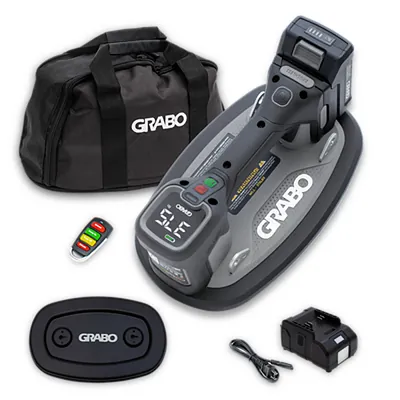
Cordless vacuum lifter
GRABO Pro Brushless: the original cordless vacuum lifter for pavers, stone, glass and panels.
Like what we do? Buying through these links supports Bots n' Beans. We earn a commission at no extra cost to you. Thank you!