
How to build Stack-chan
2-DoF desk companion robot · Beginner
Build Stack-chan, meganetaaan's open-source JavaScript-driven M5Stack desk robot with pan-tilt servos, an animated face, MODs and browser-flashed firmware.
Mostly printed parts and plug-in servos. Good first build.
Our estimate, part-time
Project's own total, source currency
Apache-2.0
What is Stack-chan?
Stack-chan is a small desk companion built on an M5Stack controller, started by meganetaaan and grown by a large Japanese maker community. The screen shows an animated face while two servos pan and tilt the head.
The firmware is JavaScript on the Moddable SDK, and new behaviours install as MODs. M5Stack now sells an official M5StackChan (K151) based on the CoreS3, with a 550 mAh battery, RGB LEDs, touch and NFC, and you can flash the community firmware to it from a browser.
Stack-chan specifications
- Axes
- 2 (pan, tilt)
- Controller
- M5Stack CoreS3 (ESP32-S3, 16 MB flash, 8 MB PSRAM)
- Official body
- 550 mAh battery, 12 RGB LEDs, touch, NFC
- Firmware
- Moddable JavaScript
- License
- Apache-2.0
Figures as published by the project. See Sources below.
Bill of materials
| Part | Qty | Notes |
|---|---|---|
| M5Stack core | 1 | |
| Servos | 2 | |
| Case and servo board | — | DIY or the official body |
| Data USB-C cable | 1 |
Where's the full bill of materials?
The full BOM, with exact quantities and vendors, lives in the project's own files. Prices change often, so treat $99 as a ballpark from the project. Start at the project repository.
Tools you'll need
- Chrome or Edge
- Small screwdriver
- 3D printer (DIY case)
Step-by-step build overview
Electronics & wiring overview
The core stacks onto the servo board in the body. USB-C carries both power and data.
Software
The project ships its own firmware and control code. See the repository for setup.
Moddable firmware with an avatar face and MODs. M5Stack's own firmware, Arduino and UiFlow2 also work.
Tips from the bench
- ☕ Use a USB-C cable that carries data.
- ☕ Keep M5Burner handy.
Stack-chan FAQ
Do I need an SDK?
No. The web installer flashes it from Chrome or Edge.
Can I build it DIY?
Yes. The repo has cases and schematics.
Sources
Written by Bots n' Beans from the project's own documentation. Check the sources for the latest revision before you buy parts.
Related builds
Robot deals
All deals → Get deal
Deal · Everblog
10% off
 Shop
ShopShop · CircuitMess
DIY robot kits
Robot and gadget kits you build yourself.
 Shop
ShopShop · GRABO
Cordless vacuum lifter
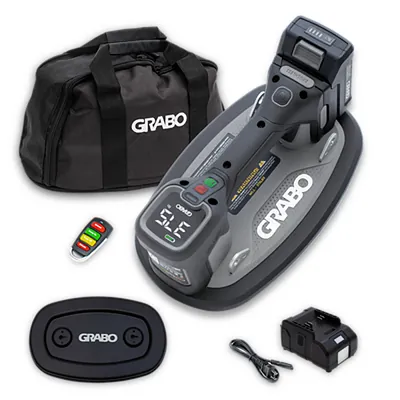
GRABO Pro Brushless: the original cordless vacuum lifter for pavers, stone, glass and panels.
Like what we do? Buying through these links supports Bots n' Beans. We earn a commission at no extra cost to you. Thank you!